Press kit
ScreenRhythm is an independent Windows app that turns a family screen-time agreement into visible rules the PC enforces. This page has the facts, boilerplate, brand assets and contact details you need to write about it.
At a glance
| Product | ScreenRhythm |
|---|---|
| Category | Screen-time and parental-control app for the family Windows PC |
| Platform | Windows 10 and Windows 11 |
| Pricing | Free plan; Pro $4.99/month or $39/year with a 14-day trial |
| Availability | Direct download from screenrhythm.com. The installer is not code-signed yet. |
| Launched | Public site and version 1.1.24 released in October 2026 |
| Contact | support@screenrhythm.com |
Boilerplate
Short (50 words)
ScreenRhythm is a Windows app that turns a family screen-time agreement into visible daily limits, a weekly schedule and a site filter. The child sees the countdown and can ask for more time; the parent approves from a phone. No Microsoft account, no message reading, no screenshots. Free plan; Pro $4.99/month.
Long (100 words)
ScreenRhythm is an independent Windows app for families who want a screen-time agreement instead of hidden surveillance. Parents set daily limits, breaks and a weekly schedule; Pro adds a system-wide site filter, a phone panel and weekly reports. The child sees the timer, knows the rules and can request extra time, and the parent approves from a phone browser. Time limits work offline. The app does not read messages, take screenshots or require a Microsoft account. The free plan covers daily limits, breaks, schedule and screen lock; Pro costs $4.99/month or $39/year and starts with a 14-day trial.
Brand facts
- Name: ScreenRhythm — one word, capital S and R, no hyphen.
- Tagline: Screen time rules your Windows PC actually enforces.
- One-liner: A visible family screen-time agreement for the Windows PC, without surveillance.
- Not: a mobile app, a keylogger, a message reader or a secret monitoring tool.
- Works with: Windows 10/11, a local Windows account, no Microsoft account required.
Story angles
- Agreement, not surveillance. Most parental-control apps are built around secret screenshots and message reading. ScreenRhythm makes the rules visible to the child and gives them a way to ask for more time.
- Windows without a Microsoft account. Microsoft Family Safety requires a Microsoft account for the child. Many families use local accounts, especially on a shared or refurbished PC.
- The unsigned installer problem. A small independent Windows app cannot easily afford code signing and SmartScreen reputation. ScreenRhythm publishes the SHA-256, explains the warning and shows the install step by step.
- The printable agreement. The free screen-time agreement generator lets a family write the rules together, print them and review them later. It needs no email and runs in the browser.
Brand assets


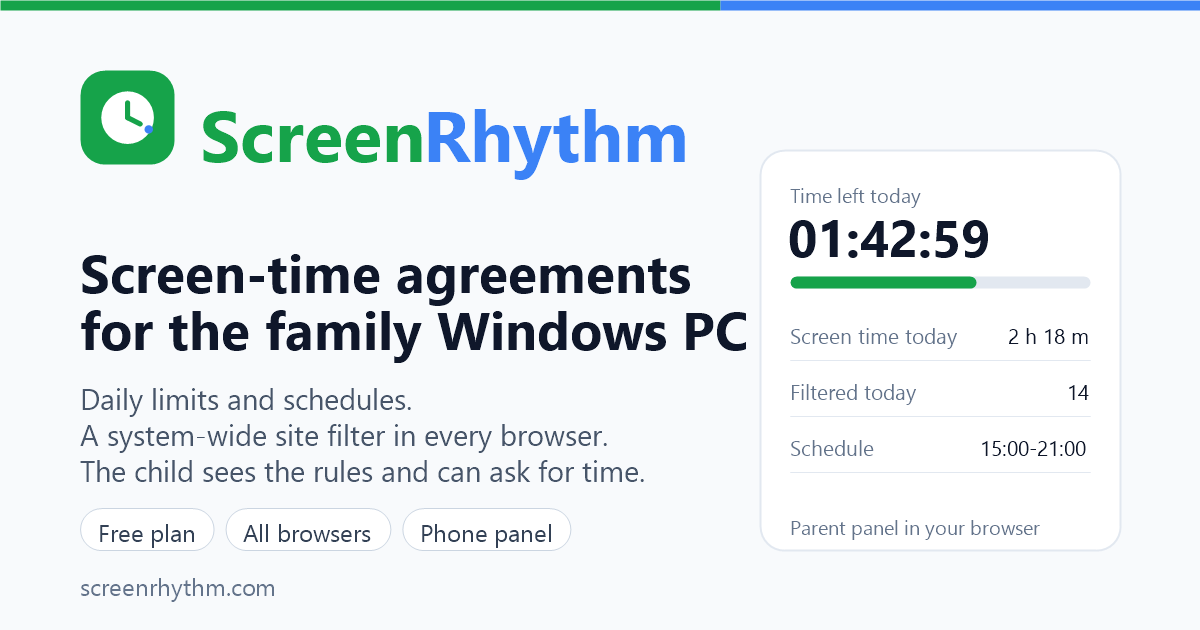
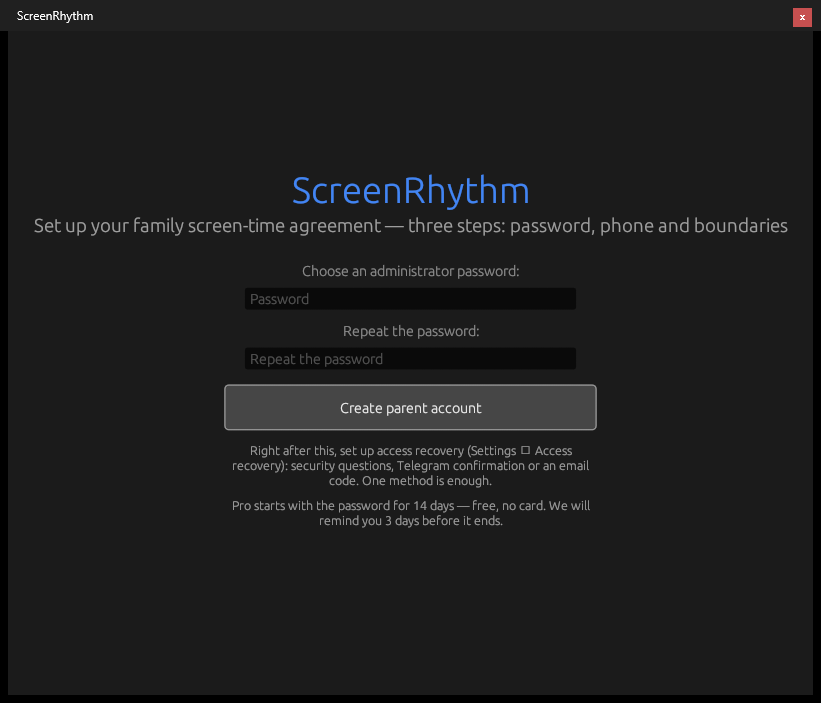
First run: the parent sets a password. The default 2-hour daily limit, breaks and 9:00–21:00 schedule are already active.
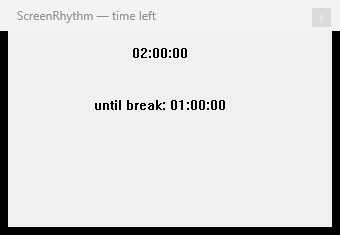
Child view: the countdown and the next break are always visible, without a password.
Usage guidelines
- You may use the logo and screenshots in editorial coverage of ScreenRhythm.
- Do not change the logo colours or proportions, and do not use it to imply an endorsement or partnership that does not exist.
- If you quote pricing or features, check the buy page and download page first; they are the source of truth.
- Please do not describe the app as a complete safety guarantee or as a tool for secret monitoring. It is one part of a family agreement.
- Windows is a trademark of Microsoft Corporation. ScreenRhythm is an independent product and is not affiliated with Microsoft.
Interview and review requests
We answer questions by email, usually within one business day. For a review licence, a demo or an interview, write to support@screenrhythm.com with your outlet, deadline and what you need.
Writing about ScreenRhythm?
Ask for the press pack, screenshots or a review licence.